iPhone / iPad · iOS 18.0+
Small steps,one sheet a day.
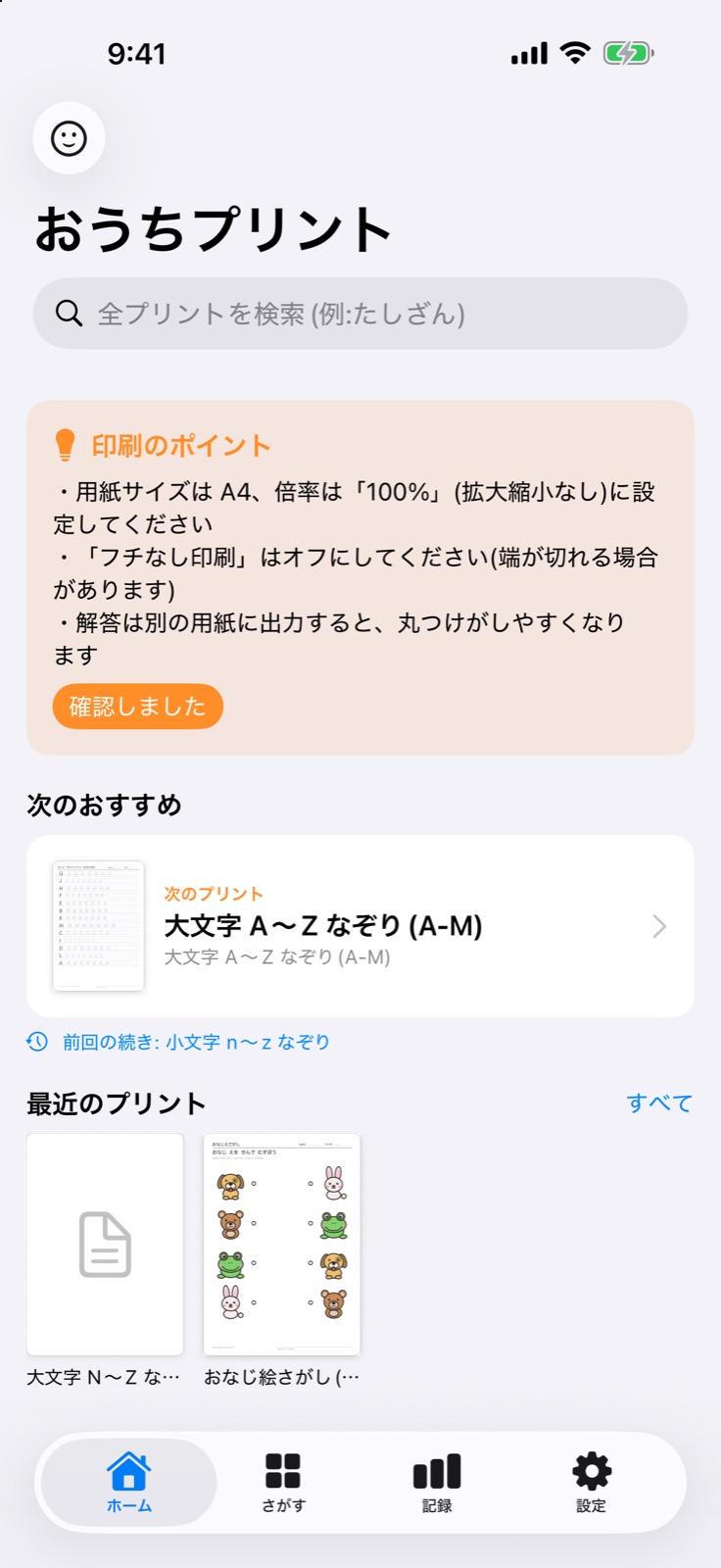
Printable A4 worksheets from age 1 through junior high, split into small steps with an answer page for each one.
Scan with your iPhone
Made for
- Parents preparing worksheets at home
- Teachers and therapists handing out sheets
What it does
- 01
Small steps
Each step is 10 sheets plus an answer page, arranged by age, grade and level.
- 02
Print on A4
Print with AirPrint. Choose paper size, 2-up layout, binding margin and black and white.
- 03
Track progress
Completed steps, favorites and your place are saved only on your device.
- 04
Free and one-time purchase
The first part of each level is free. The rest unlocks with a one-time purchase per age band, or all at once. No subscription.
How it works
- A
Choose a worksheet
Pick by age, grade or search.
- B
Preview
Switch between problems and answers.
- C
Print
Choose pages and paper, then print with AirPrint.
Screens
Premium
- Item
FAQ
Is it free?
The first part of each level is free, with no ads. The rest unlocks with a one-time purchase.
Can I restore purchases?
Use Restore Purchases in Settings or on the purchase screen with the same Apple ID.
How large are the downloads?
Worksheets are downloaded per age band from Apple's servers, typically hundreds of MB. Wi-Fi is recommended. iOS 26 or later is required.
What about iOS 18 to 25?
The app runs on iOS 18, but downloading worksheets and purchases need iOS 26 or later. Earlier versions can use one sample per level.